For TikTok LIVE creators
Your viewers send gifts.
Your game reacts.
CrowdArena connects your TikTok LIVE to a game on your PC. A Rose makes your character jump, a comment pushes it left, a big gift restarts the level: you decide what every gift does.
Windows 10/11 app · cancel any time · no refunds
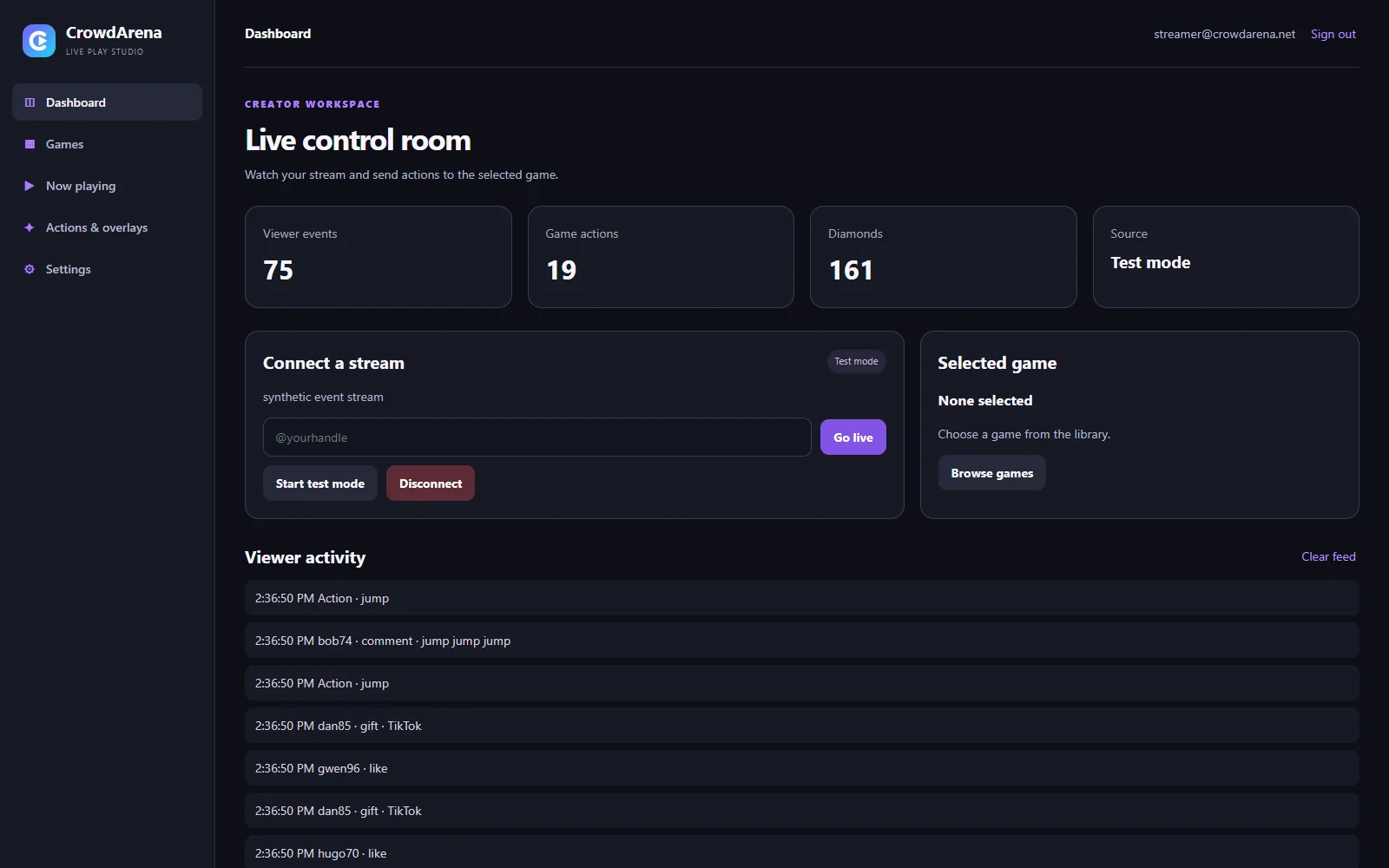
From a gift to a jump in under a second
No bots, no browser extensions, nothing for your viewers to install. They use TikTok like they always do.
Step 1
Connect your LIVE
Sign in to the app and type your TikTok handle, for example @yourname. We never ask for your TikTok password.
Step 2
Map gifts to actions
Pick a game, then set rules like Rose → jump ×1 or 50 likes → push left. Bigger gifts can do more.
Step 3
Go live
Start your LIVE on TikTok and press Go live. Every gift shows up in the feed and fires in the game straight away.
Built for streaming, not for demos
Everything below is a real screenshot of the CrowdArena app.
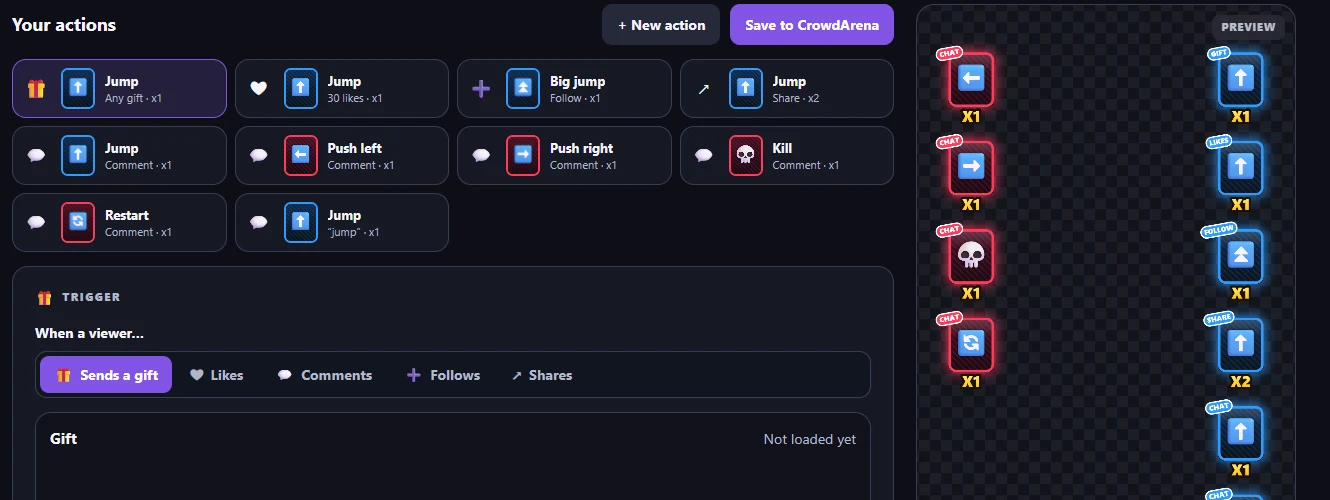
Decide what every gift does
Each game comes with ready-made actions. Change them, add your own, and scale them with the gift's value. Then export an overlay that shows viewers what to send.
- Gifts, like goals, follows, shares and chat commands
- Cooldowns so one viewer can't take over the stream
- Transparent overlay PNG for TikTok LIVE Studio or OBS
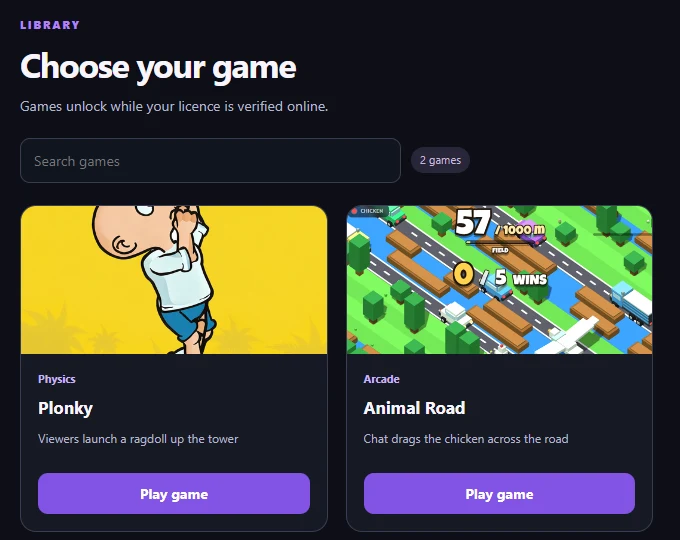
Games made for crowds
Every game in the library is built to be played by your chat: short rounds, big reactions, and something happening every time a gift arrives.
- Browser games run right inside the app
- Some games run in the free BlueStacks emulator; the app sets it up
- New games are added to your library automatically
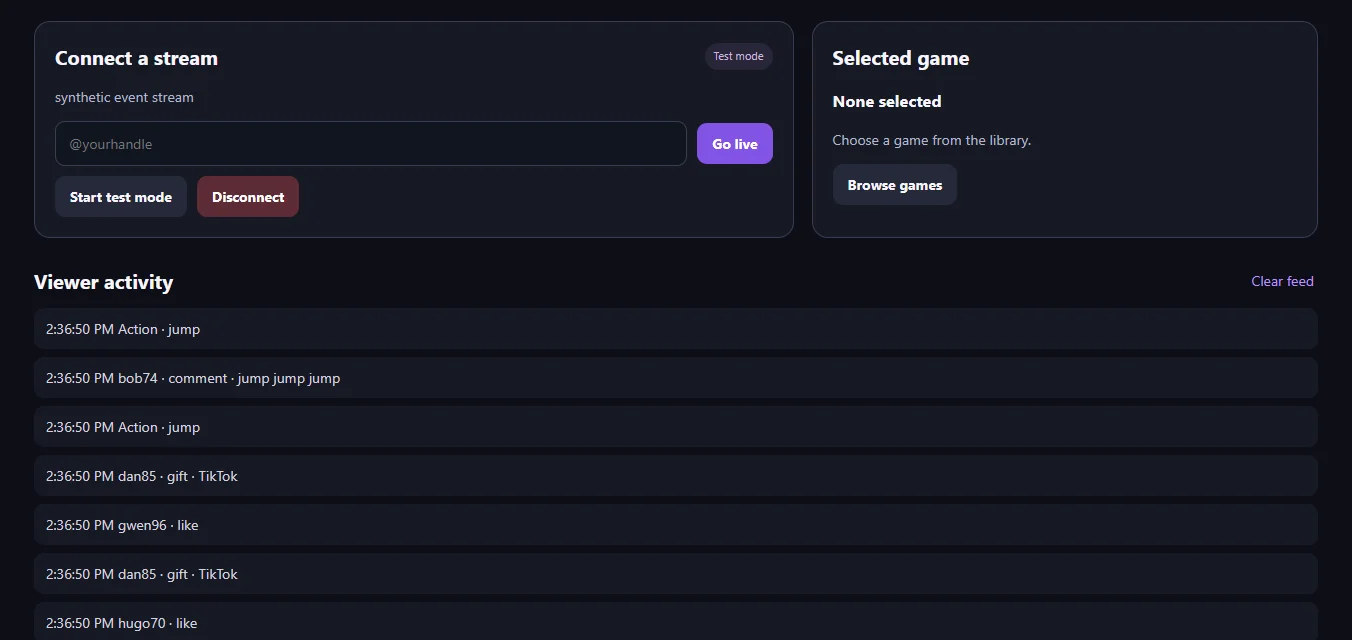
Test before you go live
Test mode plays a simulated stream full of gifts, likes and comments, so you can check every action without a single real viewer.
- Live feed of every event and the action it caused
- Fire any action by hand from the side panel
- Counters for events, actions and diamonds
System requirements
Check your PC before you buy. CrowdArena, the games and your streaming software all run on your PC at the same time, and some games run inside the BlueStacks emulator.
Minimum
- System
- Windows 10 (64-bit, version 22H2) or Windows 11
- Processor
- 4 cores, e.g. Intel Core i5 (8th gen) or AMD Ryzen 5 2600, with virtualization (VT-x / AMD-V) turned on
- Memory
- 8 GB RAM
- Graphics
- DirectX 11 capable, with current drivers
- Storage
- 10 GB free, SSD strongly recommended
- Internet
- Stable broadband, at least 10 Mbit/s upload
Recommended (streaming + emulator games)
- System
- Windows 11 (64-bit)
- Processor
- 6 cores or more, e.g. Intel Core i5-12400 or AMD Ryzen 5 5600
- Memory
- 16 GB RAM
- Graphics
- NVIDIA GTX 1660 / AMD RX 5600 or better
- Storage
- 20 GB free on an SSD
- Internet
- Wired connection, 20 Mbit/s upload or more
Also needed: a TikTok account that can go LIVE, and to be 18 or older. Some games need BlueStacks 5 (free; the app installs the game into it). Not supported: macOS, Linux, Windows on ARM, Windows in S mode, and virtual machines.
You are responsible for checking that your PC, Windows, drivers, security software and internet connection meet these requirements. Problems caused by your own equipment or setup are not faults of CrowdArena and are not grounds for a refund; see the Terms.
One plan, everything included
No tiers and no extras to unlock. Pay monthly, cancel whenever you want.
CrowdArena Pro
€14.99/ month
Including VAT where it applies. Renews monthly until you cancel.
- Every game in the library
- Unlimited gift and chat actions
- Test mode and live feed
- Overlay creator
- All updates while you're subscribed
- Email support
- One PC at a time
Before you buy, check the system requirements.
Cancel any time and keep access until the end of the month you paid for. Payments are non-refundable; access starts immediately, so the 14-day withdrawal right does not apply. Terms
Questions
Is CrowdArena made by TikTok?
No. CrowdArena is independent and not affiliated with, endorsed or sponsored by TikTok or ByteDance. It reads the public events of your own LIVE (gifts, likes, comments) and uses them to control games.
Do you need my TikTok password?
No. You only type your public TikTok handle. Never give your TikTok password to anything that isn't TikTok.
How do I get started?
Create an account, confirm your email with the code we send, subscribe to Pro with the same email, then sign in to the Windows app.
Can I cancel?
Yes, any time, using the link in your payment receipt. It stops renewing and you keep access until the end of the month you paid for.
Do you give refunds?
No. Payments are final, including for unused time. At checkout you ask for access to start immediately, so the 14-day right of withdrawal does not apply. Your legal rights if the service doesn't work as described are not affected. See the Terms.
What data do you keep, and how do I delete my account?
Your email, a hash of your password, your settings and licence, and the events of your streams while CrowdArena is connected. No card details. The Privacy Policy lists everything. To delete your account, open the app, go to Settings and use "Delete account…" at the bottom.
How do I contact you?
Email support@crowdarena.net.